SectionProducts
Featured09 apps
PlatformsApple · Android · Win · Web
Latest updatePacketPlanner · Oct 2026

Apps that
stay on your side
of the screen.

Nine focused apps, plus three earlier Windows utilities. From planning festive gifts to filing paperwork and finding your next read, each is built around one idea: software should work for you, not study you.


№ 01 · New · 2026 Featured · iPhone · iPad · Android · Windows

PacketPlanner.

Plan red packets, angpao, hong bao or duit raya without the last-minute ATM guesswork. PacketPlanner keeps the people, amounts and cash totals together, then carries your record into next year.

  • 01Plan by the people you visit. Group recipients, set amounts and packet counts, and use the regional rate guide when you need a starting point.
  • 02Know which notes to withdraw. The calculator totals denominations and subtracts cash you already have.
  • 03Give without losing your place. Give Mode tracks what is done and what remains; received gifts and yearly plans keep the season’s record in one place.
  • 04Private by default. Your plans stay on your device. Optional backups and exports help you carry them forward.
PacketPlanner · iOS · Android · Windows
PacketPlanner app icon showing a gold packet in a white envelope

№ 02 · New · 2026 Featured · iPhone · iPad · Mac

PaperClerk.

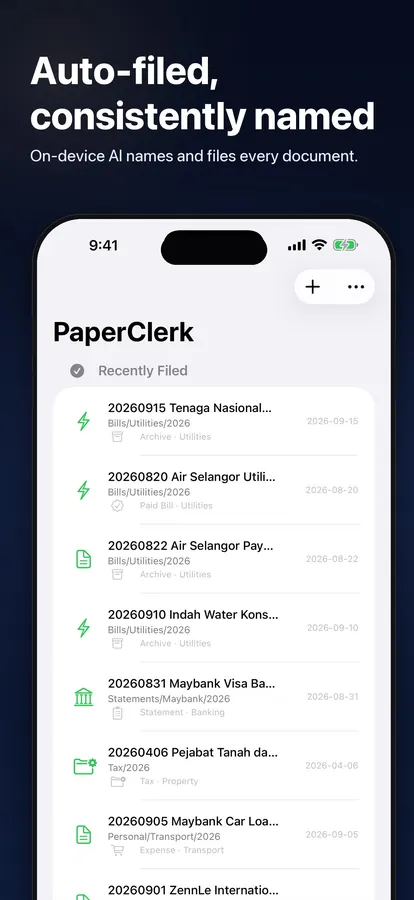
Receipts, bills and claims — filed the way you would. Capture or share a document; PaperClerk reads it on-device, gives it a useful name, files it into your folders and keeps unfinished bills or claims on your list.

  • 01Check, don’t retype. On-device AI reads the provider, date, amount and reference. You review the details beside the original.
  • 02Your names, your folders. Reusable filename templates and filing rules keep new documents organized consistently.
  • 03Know what still needs action. Need Action keeps unpaid bills and unsubmitted claims visible until they’re done.
  • 04Private from the start. No account; document text is read on-device. iCloud sync is optional Pro.
PaperClerk · Auto-filing
PaperClerk automatically names and files documents on-device

№ 03 · Booking for solo pros Featured
Luxebook · luxebook.app
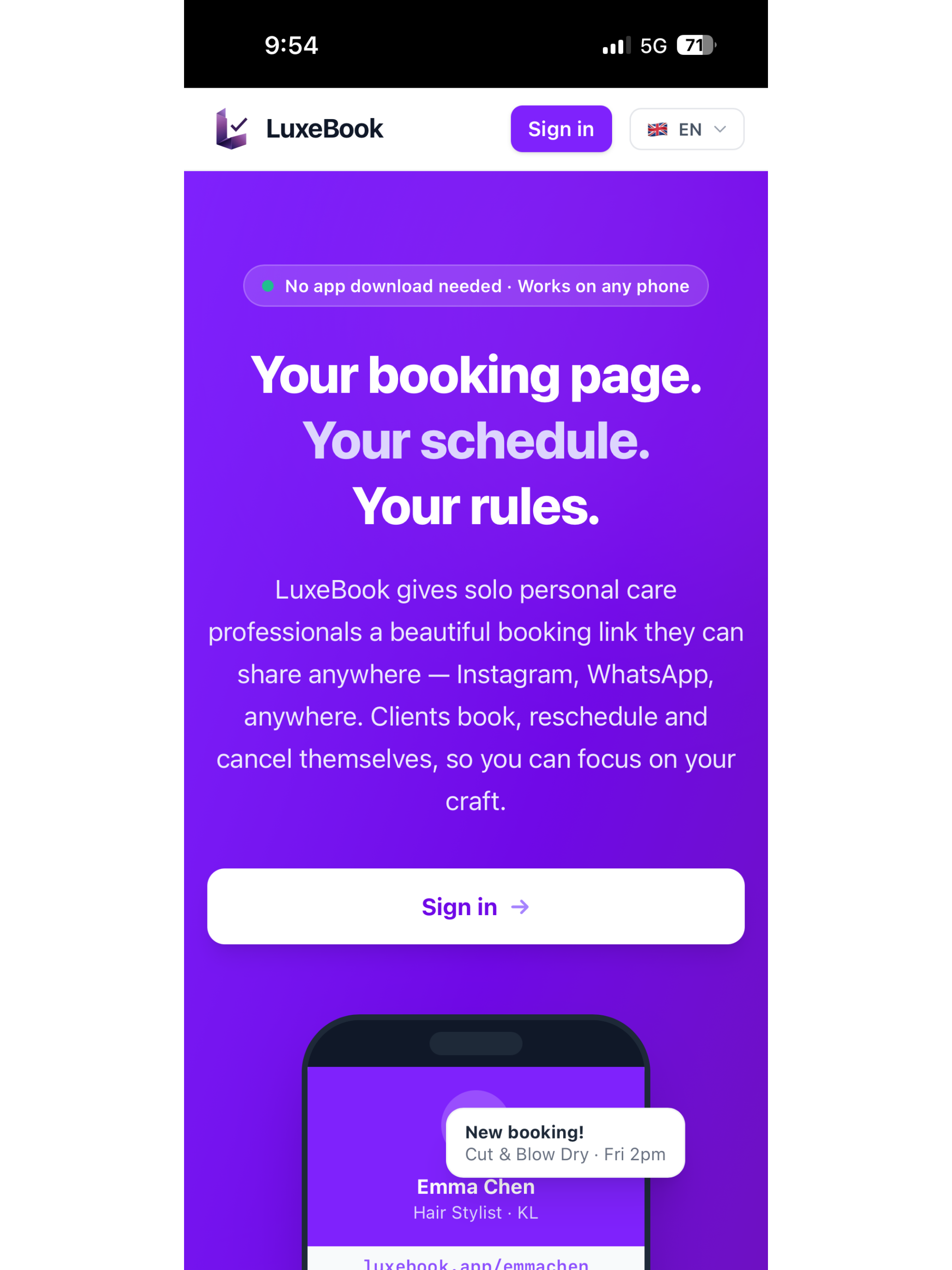
Luxebook — Your booking page. Your schedule. Your rules.

Luxebook

Booking software for the way solo professionals actually work — one calendar, your own brand, no marketplace skimming a cut.

  • 01One person, one calendar. No staff seats, no team add-ons. Pricing and design are made for the way independents work.
  • 02Native on every platform. Real apps on iOS, macOS, and Windows. Offline-first; works without a signal.
  • 03Your client book stays yours. Notes, history, and contact details live on your devices and sync through your own iCloud.
  • 04Booking page, included. A shareable booking page on a clean domain. No third-party trackers, no scripts you didn't ask for.

№ 04 · E-book ecosystem Featured

BiblioFuse

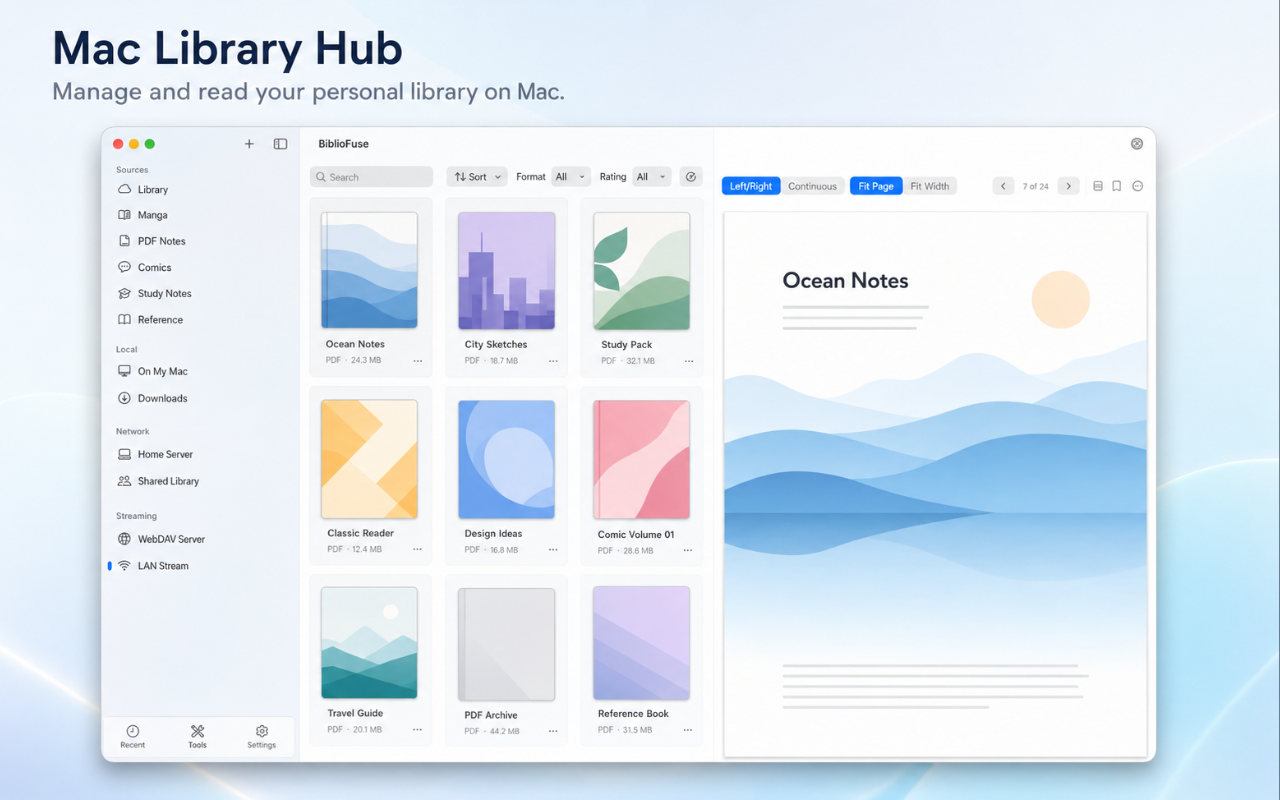
A full e-book ecosystem: converter, library, and reader, in one cohesive suite — across iOS, Android, Web, and Windows.

  • 01Read everywhere. EPUB, CBZ, and PDF support with native rendering on every platform.
  • 02Smart compression. Squeeze file sizes without losing what makes the book readable.
  • 03iCloud-native sync. Library and reading progress in step across Apple devices, automatically.
  • 04Zero reading-habit tracking. Nothing about what you read is sent anywhere.
  • 05Remote streaming over 5G. Your Mac becomes the library server; Tailscale handles the secure tunnel. Open your home collection from anywhere — no cloud upload, no third-party host.
BiblioFuse · macOS
BiblioFuse on macOS — Library Hub

№ 05 · Browser utilities Featured
LokalTools · lokaltools.com
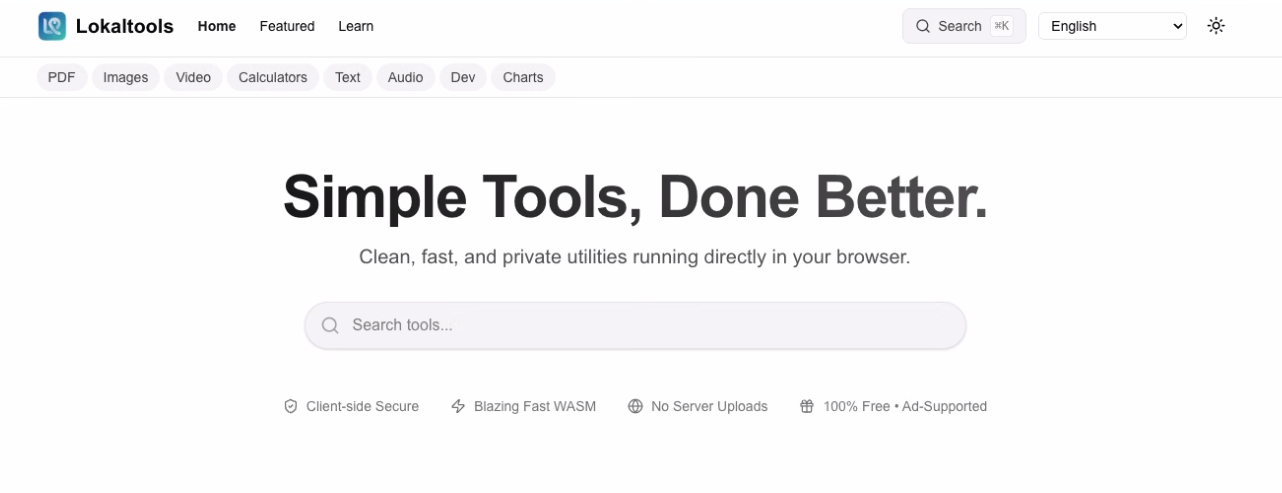
LokalTools homepage — Simple Tools, Done Better

LokalTools

A growing toolbox of focused utilities that run inside your browser. WebAssembly does the heavy lifting locally — your files never leave the tab.

  • 01Twenty-plus utilities. PDF editing, image and video processing, formatting, hashing, charts. New tools added regularly.
  • 02WebAssembly, locally. The heavy work runs in your browser. No uploads, no accounts.
  • 03Free and open. Free, ad-supported, with an open-source core. Ads keep the tools free without ever touching your data.

№ 06 · New · 2026 Featured
SmartDecrypt · iOS / macOS / Win
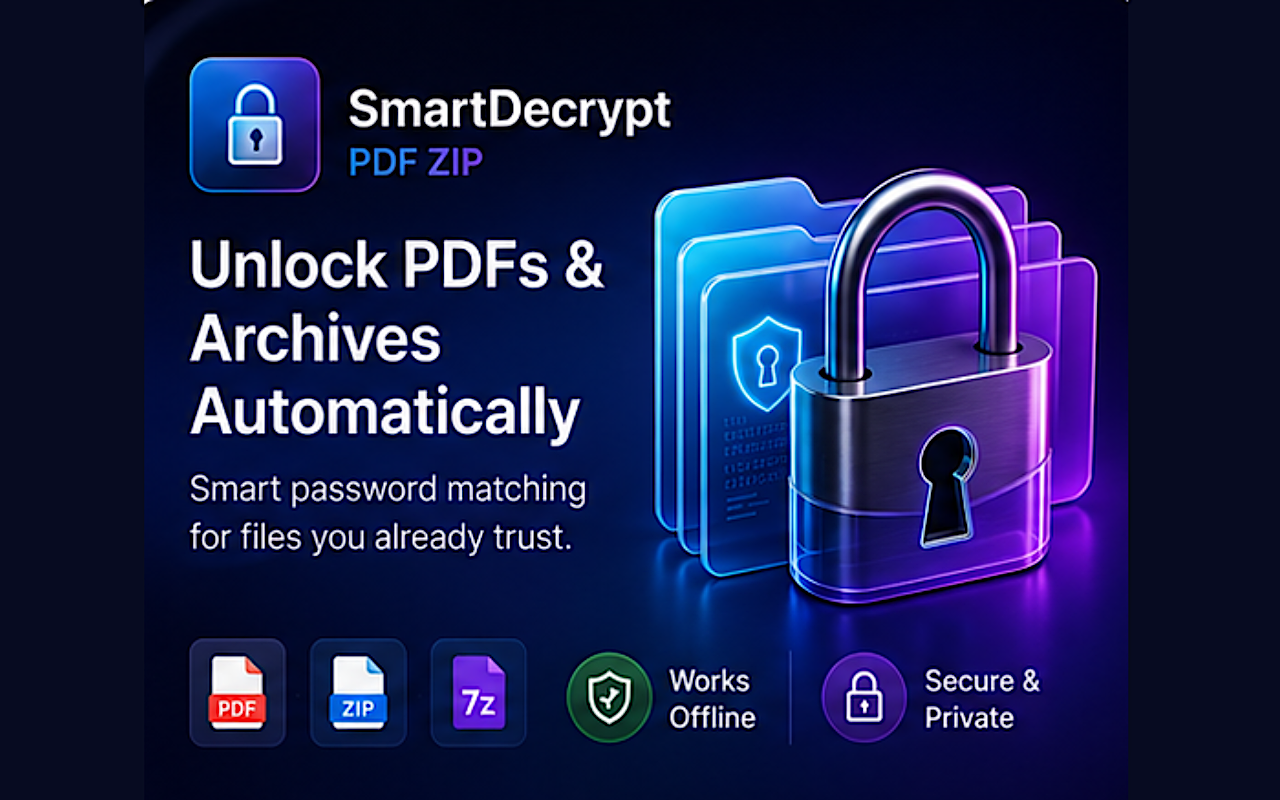
SmartDecrypt — unlock PDFs and archives automatically

SmartDecrypt.

Unlock password-protected PDFs and archives without rummaging through notes for the right password. Save a pattern once — SmartDecrypt matches future files automatically.

  • 01Save a pattern, unlock forever. Bank statements, payslips, invoices — any file with a repeatable password format.
  • 02PDF, ZIP, and 7z. Unencrypted archives extract normally. Encrypted ones get matched to your saved patterns.
  • 03Drag, drop, done. Native macOS app, full iOS Share Sheet support, Windows version on the Microsoft Store.
  • 04Keychain-stored, on-device. Passwords live in the system Keychain. Unlock runs locally — no document ever uploaded.

№ 07 · New · 2026 Featured

Comic Duplicate Scanner.

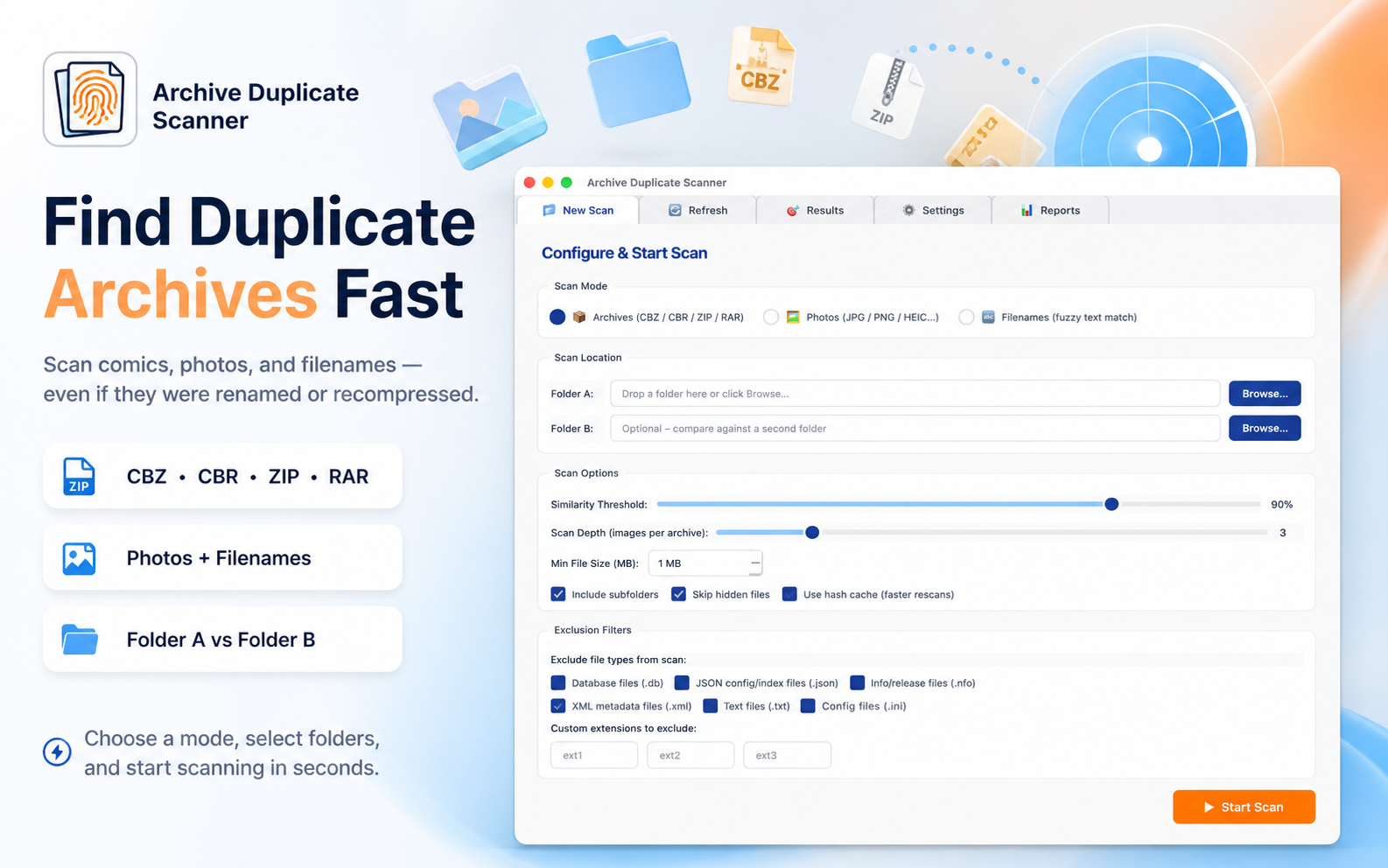
Find and remove duplicate comic archives, photos, and files — even when they've been renamed, recompressed, or saved in different folders. Visual matching, not filename matching.

  • 01CBZ, CBR, ZIP, RAR. Opens each archive and compares the actual pages inside using perceptual hashing.
  • 02Photo deduplication. JPG, PNG, HEIC, WEBP, BMP, GIF. Catches recompressed and rescaled copies that file-size tools miss.
  • 03Safe by design. Marked files go to system Trash, never permanent delete. Last-copy safety warning before any batch operation.
  • 04Hash cache. Repeat scans of the same folder are near-instant. Local SQLite, never uploaded.
Comic Duplicate Scanner · macOS
Comic Duplicate Scanner — main interface

№ 08 · iOS Featured

ContentCue.

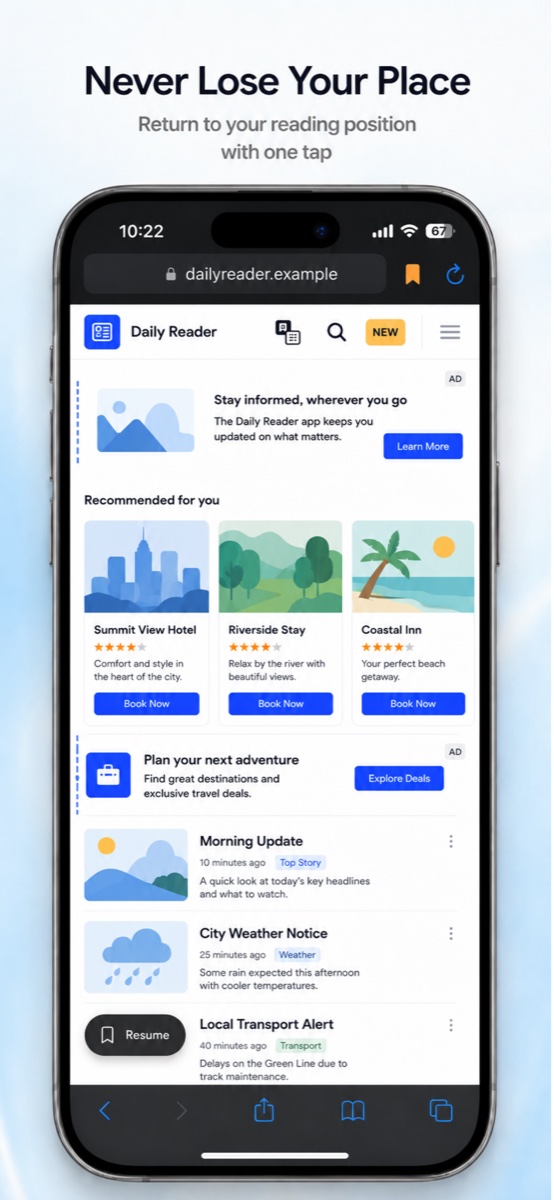
A reading browser that helps you keep your place when the web gets in the way. Restore your scroll position, tell in-page ads apart from the article, and mute autoplay audio with one tap.

  • 01Pick up where you left off. Restore your reading position after an interruption.
  • 02See what’s an ad. Visual distinction helps separate in-page advertising from the content you came to read.
  • 03Read without autoplay. Mute site audio with one tap.
  • 04Private browsing. No browsing history stored, analytics, or data collection.
ContentCue · iOS
ContentCue reading browser on iPhone

№ 09 · Search & tagging Featured

GrepTag.

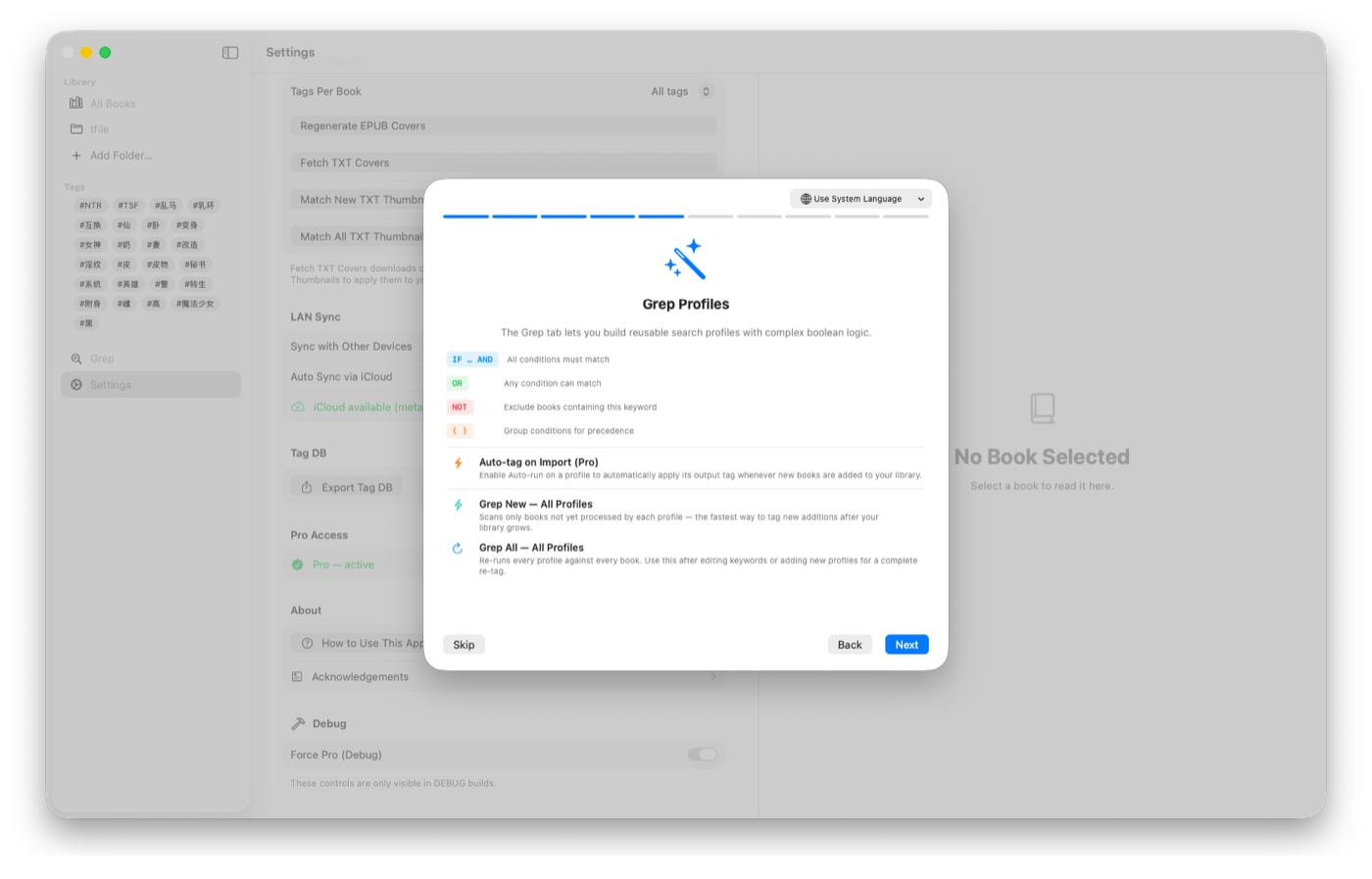
Search inside local TXT and EPUB files, then tag your collection from what the books actually say — without metadata entry or a cloud index.

  • 01Search full text. Find keywords inside every local file, not just in its title or metadata.
  • 02Save keyword profiles. Combine AND, OR and NOT terms, then re-run profiles as your collection grows.
  • 03Tag as you scan. Apply tags from search results and keep an exportable JSON tag database.
  • 04Keep your library local. Search runs on-device; Wi-Fi sync stays on your own network.
GrepTag · macOS
GrepTag searching the full text of a local book library

§ 04 — Earlier work

Also in the store.
Older utilities, still maintained.

A handful of earlier Windows-only utilities from before the studio's recent native-first push. Offline, focused, still listed.

§ 05 — Product philosophy

Every product in the studio is built to work for you, not to study you. Privacy is not a feature — it's the default that everything else is shaped around.

01 · On-device

Processing happens locally whenever it can. Your files, your client list, your library — they stay on your hardware.

02 · No tracking

No analytics SDKs, no behavioural pings. If a product needs a server, it does the minimum and nothing more.

03 · Built to last

Native frameworks, modern stacks, careful dependencies. Software that should still feel good in five years.